"A VPN hides your activity" is the kind of claim that sounds complete but isn't. It hides specific things, from specific parties, in specific ways — and knowing exactly which ones is more useful than the one-line version. Here's the real breakdown, starting with the party most people are actually trying to hide from: their ISP.
What Does a VPN Hide?
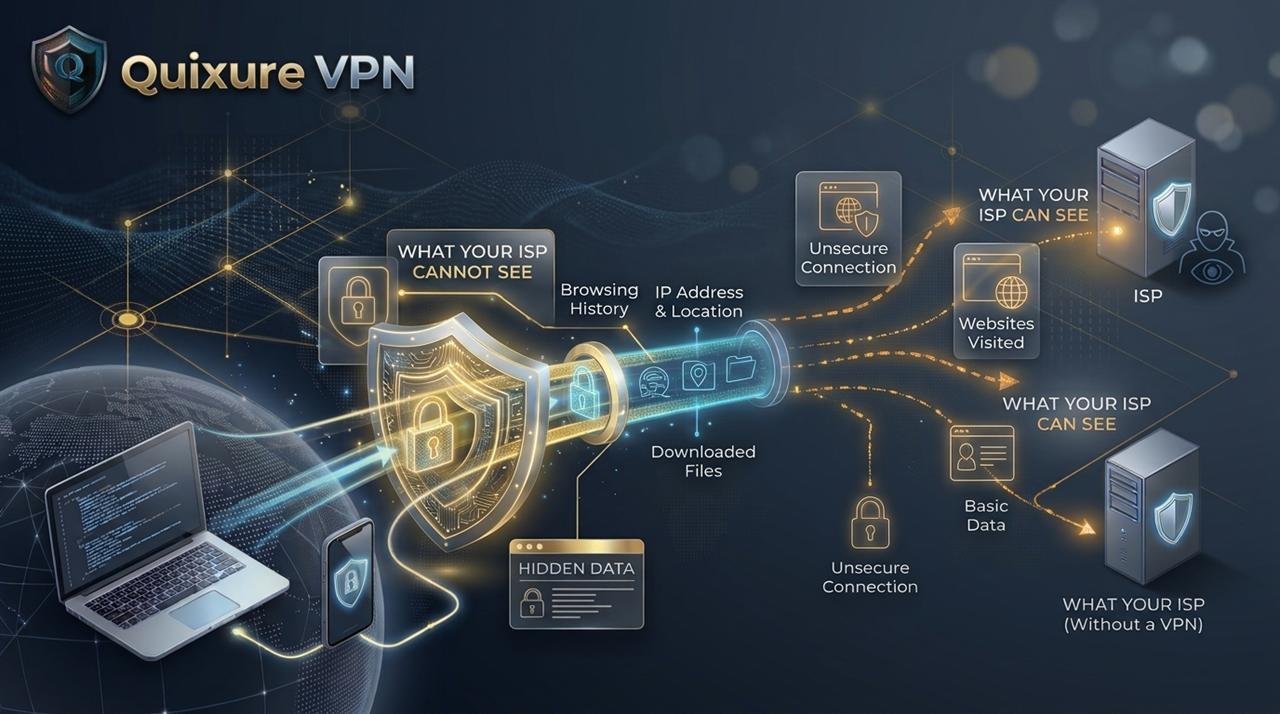
A VPN hides your real IP address from the sites and services you connect to, and it encrypts your traffic so your internet service provider (ISP) can't see its content or destination. In practical terms, that means when your VPN is connected and routing correctly, your ISP generally stops seeing which websites you visit, what you download, and what's inside your traffic — it sees an encrypted connection to a VPN server, along with that connection's timing and traffic volume, but normally can't inspect what's carried inside the tunnel. That's covered in more depth in our guide to how a VPN works; this post focuses specifically on the ISP side of that picture, and where the hiding stops.
What Can Your ISP See Without a VPN?
Without a VPN, your ISP sits in the middle of every connection you make, by default. That typically includes the IP addresses of every site and server you connect to, the timing and volume of your traffic, and — for any connection that isn't using HTTPS — the actual content of that traffic. DNS lookups are part of this too: without protection, your ISP may be able to learn the domains you visit through those lookups (covered in our DNS leak protection guide), though this varies by setup — encrypted DNS (like DNS-over-HTTPS, which some browsers now enable by default) can limit what your ISP sees from DNS requests specifically, even without a VPN. Destination IP addresses and other connection metadata can still reveal similar information regardless. Even for HTTPS sites, where the page content itself is encrypted, your ISP can still see which domains you're reaching and roughly how much data is moving, just not what's inside it.
What Can Your ISP See When You Use a VPN?
With a VPN connected, your ISP's visibility collapses down to one thing: that your device is maintaining an encrypted connection to a particular IP address (your VPN server), plus the timing and overall volume of that traffic. What it loses is everything downstream of that server — the individual sites you visit, your DNS lookups, and the content of your traffic. It's worth being precise here rather than overstating it: your ISP can still tell you're using a VPN (that's generally not hideable or illegal), and can see roughly how much you're using it and when. What it can't see is where that traffic goes after it leaves the VPN server, or what it contains.
Does a VPN Hide Your Browsing History?
It depends on whose copy of "history" you mean. A VPN prevents your ISP from building a record of which sites you visited, since it only sees the VPN server as the destination. It does nothing to your browser's own local history — the list saved on your device — which stays exactly as it would without a VPN. If you're logged into Google, your browser sync account, or any service while browsing, that service can still record your activity directly, regardless of VPN status; a VPN protects the network path, not accounts you've already signed into.
What Does a VPN Not Hide?
A few things a VPN doesn't touch, that are worth being clear about upfront:
- Your identity on sites you're logged into — if you sign into an account, that service knows it's you, VPN or not.
- Cookies and browser fingerprinting — tracking methods that don't depend on your IP address, like cookies, device fingerprints, or canvas fingerprinting, can still link your activity across sites.
- Malware or phishing already on your device — a VPN protects the network path your traffic takes, not what happens on the device itself.
- Local browser history — as covered above, that's stored on your device, not hidden by routing traffic differently.
The honest framing: a VPN makes you significantly harder to track at the network level, not invisible everywhere.
Does a VPN Hide Your IP Address?
Yes, specifically from the websites and services you connect to — they see the VPN server's IP address instead of yours. That's a real and useful form of protection: it stops a site from directly linking your visits to your home or mobile IP address, which otherwise reveals a rough location and lets activity across different sessions be tied together. What it doesn't do is make you anonymous to a site you've logged into, since your account identifies you directly regardless of which IP address reached it.
VPN vs Incognito Mode
These two get confused constantly because both carry a "private" label, but they operate on completely different layers. Incognito (or private browsing) mode keeps browsing history, cookies, and site data from being retained in your browser's normal profile after the private session closes — that's it. It does not hide your activity from your ISP or from websites you visit: it doesn't encrypt your traffic, and it doesn't hide your IP address. A VPN does the opposite set of things: it doesn't touch your local browser history, but it does encrypt your traffic and hide your IP address at the network level. Using both together covers more ground than either alone — incognito mode for local device privacy, a VPN for network-level privacy — but neither one substitutes for the other.
How Quixure VPN Helps Protect Your Connection
Quixure VPN encrypts your traffic with AES-256-GCM over the WireGuard protocol, which is what collapses your ISP's visibility down to "connected to a VPN server" rather than a full list of sites and DNS lookups. DNS leak protection keeps those lookups inside the tunnel specifically, and an automatic kill switch makes sure that protection doesn't quietly disappear if the connection drops. On the provider side, Quixure states that it operates under an independently audited zero-log policy backed by RAM-only infrastructure, so there's no record of your activity being kept at the point the VPN server sees it either. All of this runs across 10Gbps servers in 25+ countries, with a single subscription covering unlimited simultaneous connections across Windows, Mac, iOS, Android, iPad, Linux, and the browser extension.
Know What You're Protecting — Then Protect It
Quixure VPN hides your browsing from your ISP with AES-256-GCM encryption over WireGuard, a kill switch, and DNS leak protection — on every connection.
A VPN is precise about what it protects: the path your traffic takes, and who can see it along the way. It's not a cloak of total anonymity, and treating it as one is how people end up surprised that a site they logged into still knows who they are. Understood for what it actually does, it closes a real and significant gap — your ISP's default view into everything you do online. You can download Quixure VPN in under a minute, or compare plans first.